Camera and card workflow
After a shoot, the operator copies the card into a fixed material folder on the Mac. That folder already contains the images intended for the next processing pass.
Folder-based batch image processing
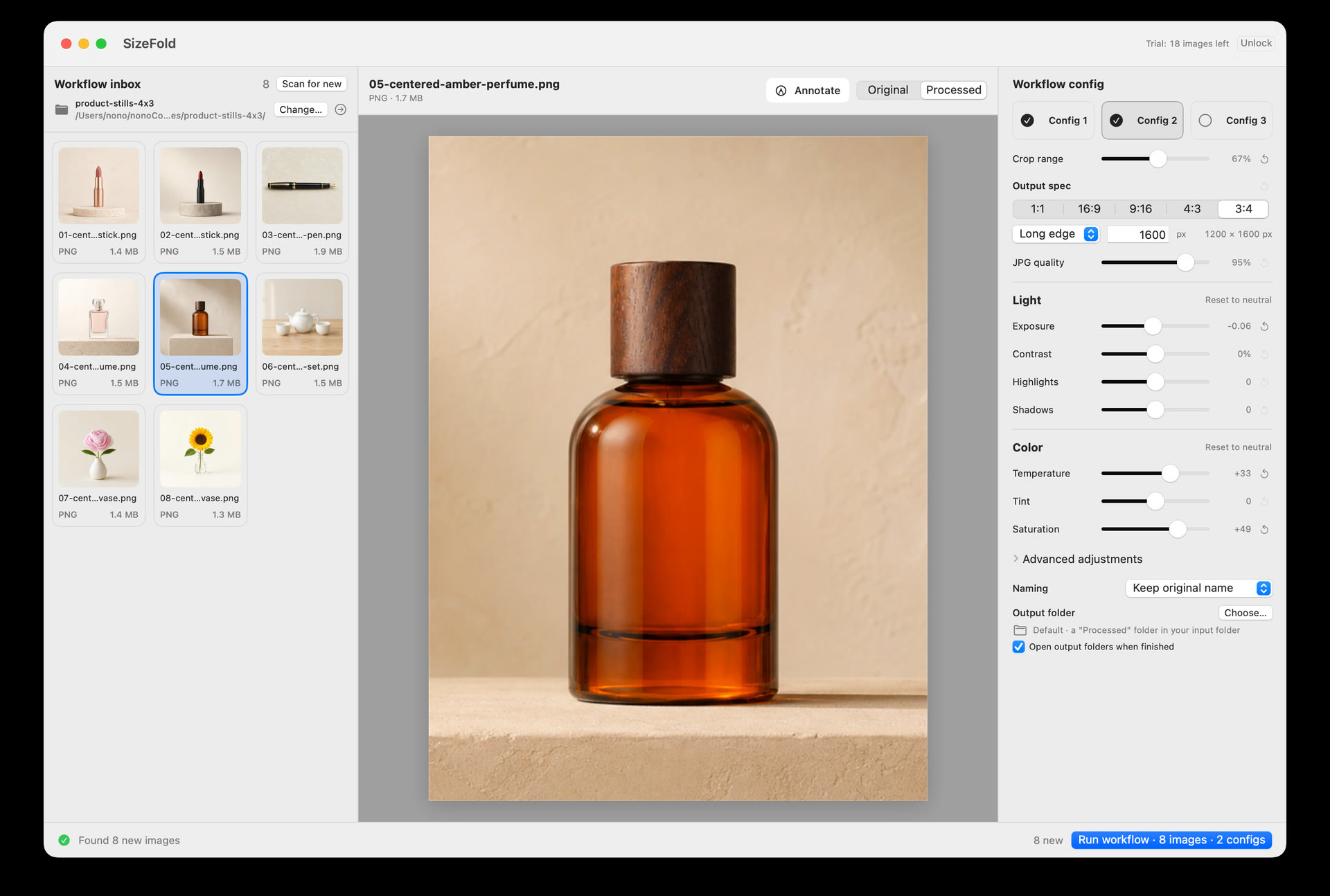
A shoot already ends in a directory. Select it once and SizeFold uses its top-level images for crop, color, output, naming, and original archiving.
Why use a folder?
A card import and a tethered shoot both finish in a directory. Selecting the same files again adds work and another chance to miss or repeat an image.
After a shoot, the operator copies the card into a fixed material folder on the Mac. That folder already contains the images intended for the next processing pass.
A tethering application writes each capture into one configured directory. The same location can feed SizeFold without another import step or photo library.
Many tools open the folder and still ask which files belong to the batch. That extra step can miss an image or pull in one that was already processed.
The next batch
SizeFold remembers the directory and its enabled recipes. Put in new photos and run the saved settings again.
Copy the next card or let the tethering app continue writing to the same location.
The supported images at the folder top level appear together for inspection.
Apply the crop, size, color, naming, and output recipes already configured.
Successful originals move to the archive and processed images go to their destinations.
Version note: the Mac App Store build currently under review uses Scan for New or ⌘R. Automatic refresh while SizeFold is open is developed for the next update; it refreshes the pending list but does not start processing by itself.
Failure handling
SizeFold keeps the original in the input directory until every enabled recipe has written its file.
SizeFold reads supported JPG, PNG, HEIC, and TIFF files at the top level. It does not recursively pull unrelated images from nested output and archive folders.
One source image may need several crops or looks. SizeFold confirms every required output before it moves that original out of the input directory.
If output or archiving fails, SizeFold removes the incomplete products from that attempt and leaves the source image in place.
Common questions
No. The current batch consists of supported image files at the top level of the chosen input directory.
Yes. Choose the directory where the tethering application writes new photos and use it as the SizeFold input folder.
No. SizeFold is designed around the complete directory as the batch scope rather than a per-run file selection.
The current release uses an Originals folder inside the input directory. A separate custom archive directory is developed for the next update.
The saved recipes are ready when new photos arrive.