The shoot already sets the look
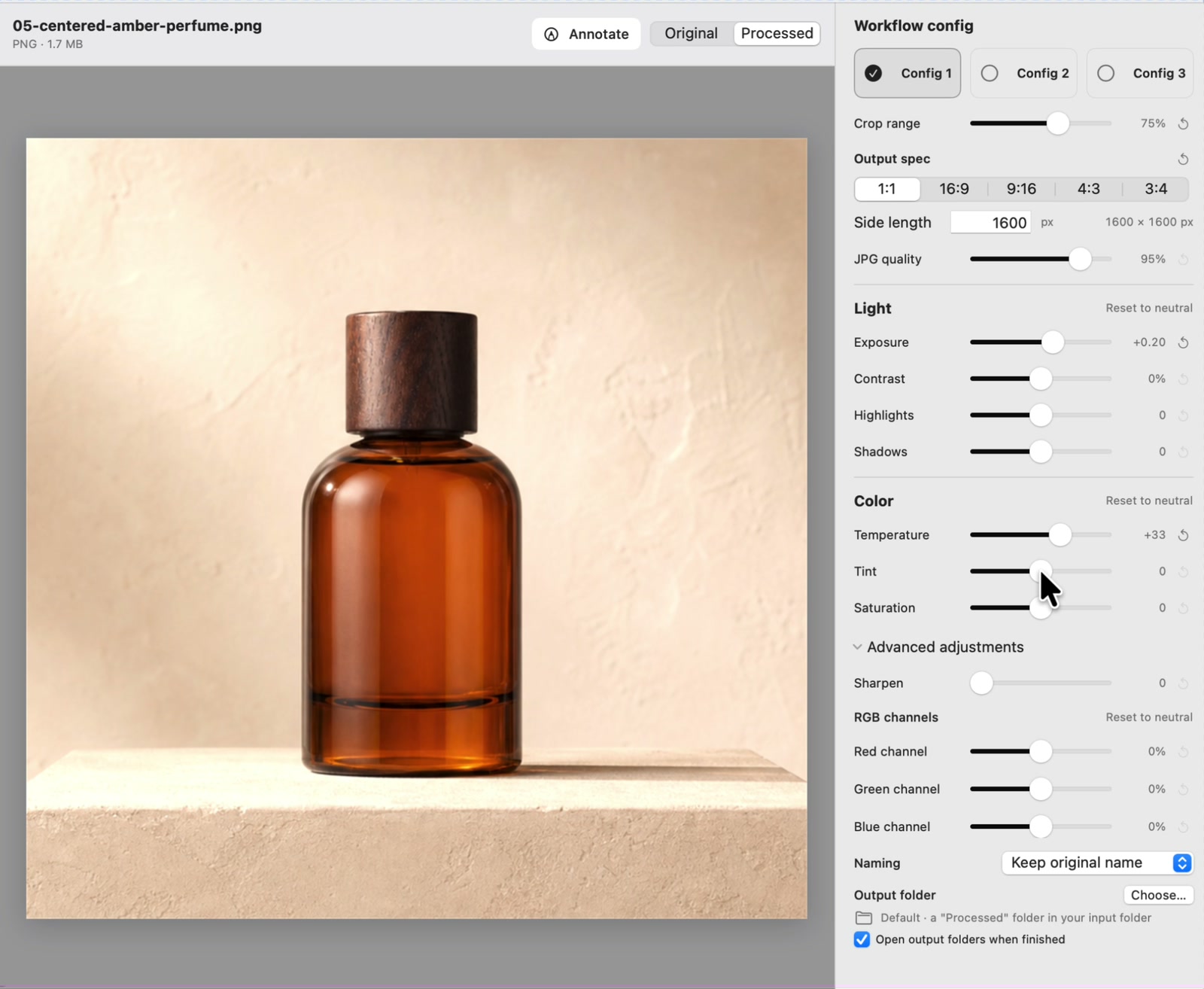
The operator has prepared the lighting, background, camera, and product position. SizeFold repeats the chosen crop, color, size, naming, and delivery settings.
Local image batch processing for Mac
SizeFold crops, adjusts, resizes, exports, and archives a photo batch on the Mac that holds the files. The images are not uploaded for processing.
Why local matters
Cloud tools have to send every source, wait for a result, and may charge by usage. A prepared studio batch only needs the same known settings applied to local files.
The operator has prepared the lighting, background, camera, and product position. SizeFold repeats the chosen crop, color, size, naming, and delivery settings.
Upload and response time depend on the connection and remote service. A local batch workflow can keep moving without sending the product photography to a processing API.
Hundreds of recurring source images should not consume AI tokens simply to repeat deterministic crop, resize, and color settings.
Native local workflow
SizeFold does not require an application account or a cloud photo library. The selected folders, original images, processing work, and exported products stay in the locations the operator controls.
macOS sandbox access is limited to directories the user explicitly selects.
Crop, color adjustment, resize, sharpening, and JPEG generation use native Apple frameworks.
Each recipe sends its products to the configured folder on the Mac or selected drive.
Successful originals move only after every enabled local output completes.
A small Mac app
SizeFold handles a defined batch job on the Mac. It has no hosted workspace or cloud photo library.
Open the app and work with folders already on the Mac. There is no account registration or SizeFold cloud workspace.
The application does not include analytics, tracking, advertising, or third-party runtime SDKs. Website analytics are described separately in the privacy policy.
Try the complete workflow with 50 successfully processed source images, then unlock through Apple without a monthly subscription or AI credit balance.
Common questions
No. Image processing happens locally and the app does not send your photos, folders, or filenames to SizeFold servers.
Yes. There is no SizeFold account system. Purchase and restoration use Apple's StoreKit.
No. SizeFold preserves the original, but processed JPEG outputs are rendered and encoded from that source. The accurate claim is non-destructive preview with the original preserved.
No. SizeFold applies deterministic crop, color, resize, naming, output, and archive rules without an AI service or token usage.
Crop, color, output, and original archiving all run locally.